
Grow a Garden 2 mutations
A valuable mutation starts with the right opportunity: weather arriving, a new crop being planted, or a pet completing its action. Compare the multipliers, then learn how to prepare for each route—including Rainbow Moon’s pet and seed opportunities.
Try a fruit value calculationFind your mutation
Multipliers below follow the reference calculator. Disputed values are marked.
| Mutation | Multi-harvest | Single-harvest | How to get it |
|---|---|---|---|
EclipsedWeather | 80× | 12.85× | Eclipse · Eclipse Bloom Eclipse weather can apply Eclipsed. Harvesting Eclipse Bloom is a documented way to start an Eclipse window. Details & caveatsReports differ on the exact event duration. A triggered Eclipse does not guarantee Eclipsed on each crop. |
 GlowPlant | 80×Disputed | 12.85× | Star Fruit · night beams Star Fruit is reported to send beams at night that can apply Glow to nearby crops. Timing, range and targeting are not fully established. Details & caveatsMultiplier conflict: the calculator uses 80×; community mutation tables and older weather notes report 100×. |
 BloodlitMoon | 60× | 9.85× | Blood Moon Random crops can receive Bloodlit during Blood Moon. Watch the moon forecast before planning a weather harvest. Details & caveatsThe event provides a chance, not a guaranteed garden-wide conversion. |
 ChakraPet | 60× | 9.85× | Kitsune Kitsune can apply Chakra to fruit it steals at night. Its larger and Rainbow variants are not established as better Chakra producers. Details & caveatsThe mutation reference reports a 20% roll on stolen fruit; this is not a general harvest chance. |
IgnitedWeather | 60× | 9.85× | Sunburst Sunburst weather can apply Ignited to random crops. Normal sunshine alone is not documented as the same trigger. Details & caveatsDo not import Burnt, Cooked or other mutations from the original Grow a Garden into this GAG2 model. |
StarstruckWeather | 50× | 8.35× | Starfall Starfall can apply Starstruck to crops. It is distinct from the Glow mutation associated with Star Fruit. Details & caveatsCheck the active weather and the fruit label rather than assuming every star effect is the same mutation. |
AuroraWeather | 40×Disputed | 6.85× | Aurora Crops can receive Aurora during Aurora weather. It is an event mutation, not a permanent growth-speed boost. Details & caveatsMultiplier conflict: the calculator uses 40×; community tables also list 1.5×. Use the custom multiplier to compare. |
 RainbowNatural | 30× | 5.35× | Natural rolls · Rainbow Seeds Can roll on fruit or plants. Rainbow weather boosts its luck, Rainbow Seeds grow a Rainbow crop, and Unicorn improves natural Rainbow odds. Details & caveatsRainbow pet variants and Rainbow crop mutations are separate systems. |
ElectricWeather | 25× | 4.6× | Lightning Lightning weather can apply Electric. A weather prompt may call the strike “shocked”; this guide uses the fruit mutation name Electric. Details & caveatsDo not add a second Shocked multiplier for the same strike. |
 AmberPlant | 20× | 3.85× | Amber Cranberry Amber Cranberry is reported to apply Amber as fruit ripens. Its original seed source is the Fall Harvest event. Details & caveatsThe community mutation table lists a 5% ripening roll. The calculator documents the multiplier but leaves obtainment unresolved. |
FrozenWeather | 20×Disputed | 3.85× | Snowfall Snowfall gives crops a chance to become Frozen. A weather event does not guarantee a mutation on every fruit. Details & caveatsMultiplier conflict: the calculator uses 20×; the community mutation table also reports 14×. |
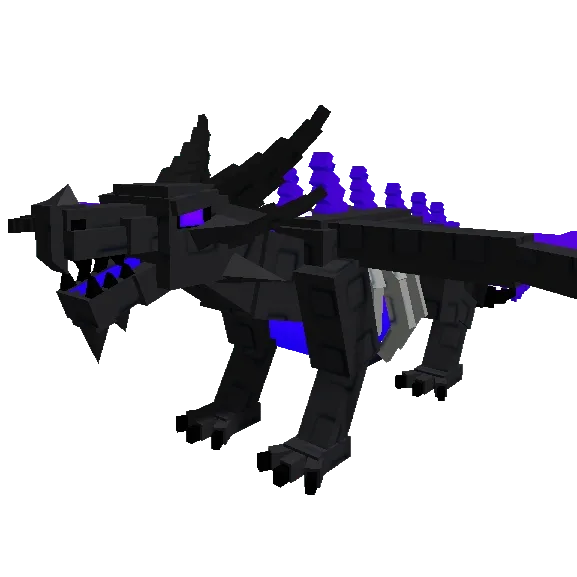 VeilPet | 20× | 3.85× | Shadow Dragon Planting a seed with Shadow Dragon equipped can give the newly planted crop Veil. This is a planting trigger, not a weather roll. Details & caveatsChance remains disputed: mutation notes say 5%, while pet references give 10% for Normal. Neither is presented as settled. |
 GoldNatural | 10× | 2.35× | Natural rolls · Gold Seeds · Midas Can appear on fruit or a growing plant. Gold Seeds grow a Gold crop; Golden Dragonfly improves natural Gold odds. Midas can turn stolen fruit Gold. Details & caveatsA mutation on a fruit and a mutation on a whole plant are different rolls. Pet variants affect chance, not this sell multiplier. |
No mutations match. Try a different name or trigger.
Read the multiplier correctly
A fruit carries one active mutation in this model. Gold plus Rainbow is not a stack. The number shown for multi-harvest crops is the full reference bonus.
Single-harvest crops receive only 15% of the extra mutation bonus: 1 + (multiplier − 1) × 0.15. Gold is therefore 2.35× on a Carrot, compared with 10× on a repeat-harvest crop. Weight, decay, stock and friends can still change the final payout.
Choose a route, then plan the harvest
A mutation guide is most useful before the result appears. Natural rolls, a new planting, a pet’s completed action and a short weather window each ask for a different setup. The profiles below explain what you can prepare and which part remains a chance.
Gold: how to use the opportunity
Gold is a natural-mutation route you can pursue without waiting for a particular weather window. A Gold Seed supplies a Gold crop outcome, while Golden Dragonfly improves the chance of a natural roll. Those routes solve different problems: one changes a planting result, the other improves future opportunities.
Judge a Gold fruit using its actual species and weight. The 10× reference applies to multi-harvest crops; a single-harvest crop uses 2.35×. Improving the chance with a pet does not increase that sell multiplier, and a Gold pet is not itself a Gold crop.
Rainbow: how to use the opportunity
Rainbow can come from natural crop rolls or a Rainbow Seed, while Unicorn is a reported way to improve the natural chance. Rainbow weather and Rainbow Moon add their own opportunities, so it helps to identify the route rather than call every rainbow-colored event the same thing.
The reference uses 30× on multi-harvest fruit and 5.35× on single-harvest fruit. That is a crop-value calculation. A Rainbow wild pet has its own species-specific ability table; it does not inherit a 30× pet bonus or guarantee a high-rarity species.
Read the Rainbow Moon field notes for wild pets, seed pickups and crop strikes.
Frozen: how to use the opportunity
Frozen is a reason to pay attention during Snowfall when you have crops available for a mutation opportunity. The event supplies the trigger, but the weather arriving does not mean that every plant or fruit in your garden will change.
A Frozen result is useful evidence of what happened to that crop; snowfall scenery alone is not. Its payout is disputed between references, so compare the 20× calculator profile with the alternative before using an estimate to make a costly planting decision.
Electric: how to use the opportunity
Electric is associated with lightning strikes. This makes Frank relevant to the plan: its reported ability can chain a strike to three additional fruit, extending an opportunity rather than supplying a constant harvest bonus.
Look for the actual fruit mutation after the strike. A weather description that says “shocked” is not a second mutation to add on top of Electric. Frank’s shorter upgrade cooldowns improve readiness, while a suitable strike still has to happen.
Bloodlit: how to use the opportunity
Bloodlit connects the harvest plan to Blood Moon. If this is the mutation you want, keeping track of the moon matters more than assuming any nighttime weather can produce the same outcome.
Dire Wolf offers a separate reported chance to call Blood Moon, with eligibility and a shared cooldown to consider. The Fall Harvest Wolf supplies a pack of wild animals instead; it is not an interchangeable Blood Moon caller. Even an active event leaves individual mutation outcomes chance-based.
Amber: how to use the opportunity
Amber Cranberry is the plant named by the reviewed community mutation catalogue for Amber on ripening fruit. That places the opportunity in a plant’s own production loop rather than in a weather event that visits every server.
The catalogue reports a 5% ripening roll, but the calculator leaves the route incomplete. Historical Honeysuckle descriptions complicate the attribution further. If Amber is the reason you want a crop, confirm the plant identity instead of treating every seasonal flower as an equivalent producer.
Chakra: how to use the opportunity
Chakra is tied to Kitsune’s nighttime theft. A fruit needs to come through that ability’s process before its reported mutation roll is relevant; it is not an extra chance on everything you harvest normally.
Evaluate eligible targets, a completed steal and the Chakra outcome as separate steps. The pet reference does not establish a stronger ability on Big, Mega or Rainbow Kitsune, so paying for a cosmetic variant is not evidence that you will produce more Chakra fruit.
Veil: how to use the opportunity
Veil gives Shadow Dragon a reason to be part of a planting session. The documented opportunity is a newly planted crop, which differs from waiting beside an established garden for a weather strike.
The base probability is unresolved between 5% and 10% references. Keep that uncertainty when budgeting a seed batch: the guide can explain when the roll is reported to occur without claiming an exact number of Veil plants or a dependable upgraded success rate.
Starstruck: how to use the opportunity
Starstruck belongs to Starfall weather. The distinction matters because Star Fruit’s night beams are associated with Glow, even though both effects have a star theme.
Check the mutation label rather than identifying the result only by the sky or a nearby plant. The reference uses 50× on multi-harvest crops, but weight, harvest type and the other selling conditions still determine the final fruit estimate.
Aurora: how to use the opportunity
Aurora is an event mutation with an unusually large disagreement in the available multiplier reports. The visual event can identify a trigger opportunity; it cannot settle which published payout number matches the current game.
The calculator follows a 40× profile, while another community table lists 1.5×. Use the custom multiplier to see how much that difference changes your estimate. A disputed reference should not become a confident claim that an Aurora planting strategy will return a particular amount.
Ignited: how to use the opportunity
Ignited is associated with Sunburst weather. That is a specific trigger, rather than evidence that ordinary daylight or any plant with a fire-themed name can ignite your harvest.
Keep Dragon’s Breath and Fire Fern separate from this route unless another ability is directly documented. Their names do not supply an automatic Ignited roll, and mutations from the original Grow a Garden should not be imported into a Grow a Garden 2 calculation.
Eclipsed: how to use the opportunity
Eclipsed makes Eclipse Bloom’s weather utility relevant to more than its own fruit. Harvesting the plant is a documented way to start an Eclipse opportunity, giving players an active route to a weather window.
First obtain the plant by merging nearby mature Moon Bloom and Sun Bloom through the Merge button; a Trowel is not required and both parents are consumed. Starting the weather does not guarantee an Eclipsed conversion across the garden, and the precise event duration remains disputed.
Glow: how to use the opportunity
Glow is associated with Star Fruit and its reported nighttime beams. The potential value is improving nearby crops while the plant continues its own repeat-harvest role, rather than merely selling Star Fruit itself.
The sources do not fully settle beam targeting, timing or range, and Glow is listed at both 80× and 100×. Treat the calculator’s 80× as its declared model, not proof that every nearby fruit will receive that outcome or that Starfall is the same trigger.
Rainbow Moon: decide what you are hunting
A Rainbow Moon gives you several reasons to leave your usual farming routine. There can be Rainbow Seeds to collect, Rainbow wild-pet opportunities to inspect, and crop strikes worth watching. The practical challenge is deciding which outcome matters most before you spend the short window running between them.
Can Rainbow pets spawn during Rainbow Moon?
Yes. Community weather documentation reports a 2% chance of a Rainbow pet appearing on the map during Rainbow Moon. Treat that as a reported opportunity, with an unresolved roll interval. It is not a guaranteed Rainbow pet each night or a blanket increase of two percentage points to every pet’s spawn rate.
Rainbow describes the variant, not the species rarity. A Rainbow Bunny is still a Bunny. Wild pets are also not automatically owned: map spawns have a countdown and must be purchased before they disappear. Keep funds available if pet hunting is the priority.
What does a Rainbow Seed give you?
A collected Rainbow Seed grows a random Seed Shop crop with the Rainbow variant. Rarer species are reported to be less likely, so the seed does not let you select a top-tier plant. The seed reference also reports better pickup opportunities with more players and in public servers; that does not establish the pet-spawn formula.
Once the crop appears, judge that actual species and its harvest type. A special seed is not a Rainbow pet egg, and its resulting fruit should be valued using the plant it grew into.
Crop strikes and Star-Powered
Rainbow Moon can strike a plant and nearby plants with Rainbow. It can also grant Star-Powered, described as turning the first stolen fruit Rainbow. Neither report means every player receives the status or that every crop changes.
Check the actual status and mutation labels before valuing a result. Unicorn’s natural crop-chance bonus and a Rainbow pet’s ability upgrades remain separate systems; there is no universal pet multiplier to apply to every Rainbow companion.
A useful plan for the window
- Choose a priority. For a pet hunt, keep money ready and inspect timed spawns. For a seed hunt, leave room to collect pickups.
- Keep the garden decision in view. Chasing a pickup means spending less time watching crops and other players. Choose the opportunity you would most regret missing.
- Check the outcome afterward. Inspect the pet’s species, the seed’s resulting crop or the fruit’s mutation before deciding what the event was worth.
Rainbow Moon is different from Rainbow weather
The community reference describes Rainbow Moon as a roughly two-minute night event. Ordinary Rainbow weather lasts around five minutes and is associated with improved Rainbow crop chances and a temporary Rainbow Carpet. The similar names do not make the pet and seed rules interchangeable.
Check the tracker, compare Rainbow Seed outcomes, or review Unicorn’s crop-luck role before planning your next session.
Listed, but not confirmed released
These entries are documented separately. A listing, image, or calculator button does not establish normal gameplay availability.
- Chained8×
- Listed for Chained Moon, but marked unreleased by the reference wiki. Its presence in the calculator is not release confirmation.
- Solarflare5×
- Listed as unreleased. No verified normal-gameplay acquisition route.
- Pizza5×
- Listed for Pizza Moon, but marked unreleased. Not a confirmed active moon event.
- SecretUnknown
- Listed as unreleased with no confirmed final multiplier or acquisition route.
Sources & unresolved details
Article updated . Mutation evidence checked ; Rainbow Moon references rechecked 9 Nov 2026. No public official balance specification was found. Evidence priority: developer announcements or reproducible gameplay when available, then the community wiki and its mirrors, then the calculator’s explicit model. Mirrors sharing the same wiki are one evidence chain. “Documented” does not mean independently tested in game.
Frozen (14× / 20×), Aurora (1.5× / 40×) and Glow (80× / 100×) conflict across references. This table and calculator use the requested calculator’s 20×, 40× and 80× profiles. Chance, event duration and currently active acquisition are not treated as settled. No additional Halloween mutation was corroborated by the reviewed GAG2 sources.
Rainbow Moon’s reported 2% pet chance has no established roll interval in the reviewed weather entry. A pet reference instead describes a Rainbow roll on newly spawned animals. These descriptions do not establish a per-second rate, a per-night guarantee, or an additive +2% boost. Moon duration and seed-population effects are community reports, not fresh gameplay measurements.
- Grow a Garden 2 Wiki — WeatherGrow a Garden 2 Wiki (growagarden2.fandom.com)
Rainbow Moon effects and the unresolved 2% pet-spawn description; distinguishes Moon from ordinary Rainbow weather.
- Grow a Garden 2 Wiki — Rainbow SeedGrow a Garden 2 Wiki (growagarden2.fandom.com)
Random crop outcome, rarer species and reported public/populated-server pickup opportunities.
- Grow a Garden 2 Wiki — PetsGrow a Garden 2 Wiki (growagarden2.fandom.com)
Wild-spawn countdown and purchase requirement. Per-pet ability tables take priority over a generic variant rule.
- Grow a Garden Calculator — Rainbow BunnyGrow a Garden Calculator (growagardencalculator.com)
Describes a Rainbow roll on pet spawns during Rainbow Moon; does not settle the interval or denominator of the weather catalogue’s 2% claim.
- GAG2 community wiki — MutationsGrow a Garden 2 Wiki (growagarden2.fandom.com)
Primary community-maintained mutation catalogue; direct access can be restricted. The wiki is not an official balance specification.
- GAG2 community wiki — MechanicsGrow a Garden 2 Wiki (growagarden2.fandom.com)
Community description of sizing, mutation reduction, decay and friend bonuses.
- Grow a Garden Calculator — mutation referenceGrow a Garden Calculator (growagardencalculator.com)
Individual mutation entries and released/unreleased labels. The calculator supplies the multipliers used here.
- RBLXGUIDE — community mutation summaryRBLXGUIDE (rblxguide.com)
Secondary wiki-based source for Amber Cranberry, Kitsune, Shadow Dragon and the conflicting multiplier values. It is not independent corroboration of the upstream wiki.
- Shadow Dragon — pet referenceGrow a Garden Calculator (growagardencalculator.com)
Planting trigger and conflicting baseline probability; compare with the mutation reference before relying on a percentage.
Weather icons use the same emoji as the tracker. Gold, Rainbow and Bloodlit retain the original moon artwork; other entries use existing crop and pet artwork credited in their respective guides.